SEE WANTLY IN ACTION

Explore the complete
proposal workflow.

See how Wantly brings product data, pricing, proposal creation, customer choices and sales activity into one connected process.

✓Build a proposal from structured product data
✓Try a configurable pricing example with included and optional products
✓See how sending, client approval and proposal tracking work
● ● ●Wantly · interactive product tourPREVIEW
Preview of the Wantly product workflow
FREE INTERACTIVE PRODUCT TOUR

Unlock the full experience

Enter your name and work email to explore the complete Wantly product tour.

Access unlocked. Opening the product tour…
Something went wrong. Please check your details and try again.
✓ No credit card✓ Instant access✓ No newsletter subscription

We'll use your details to give you access and may contact you about Wantly and this product tour. See our Privacy Policy.

EXPLORE WANTLY · PRODUCT TOUR

From product data
to a closed deal.
See the flow.

Explore how Wantly connects your catalog, pricing, interactive proposals and customer activity. Follow an interactive product walkthrough at your own pace.

✓ Explore without signing in · ✓ Illustrative Wantly workflow visuals

ONE CONNECTED SALES WORKFLOW
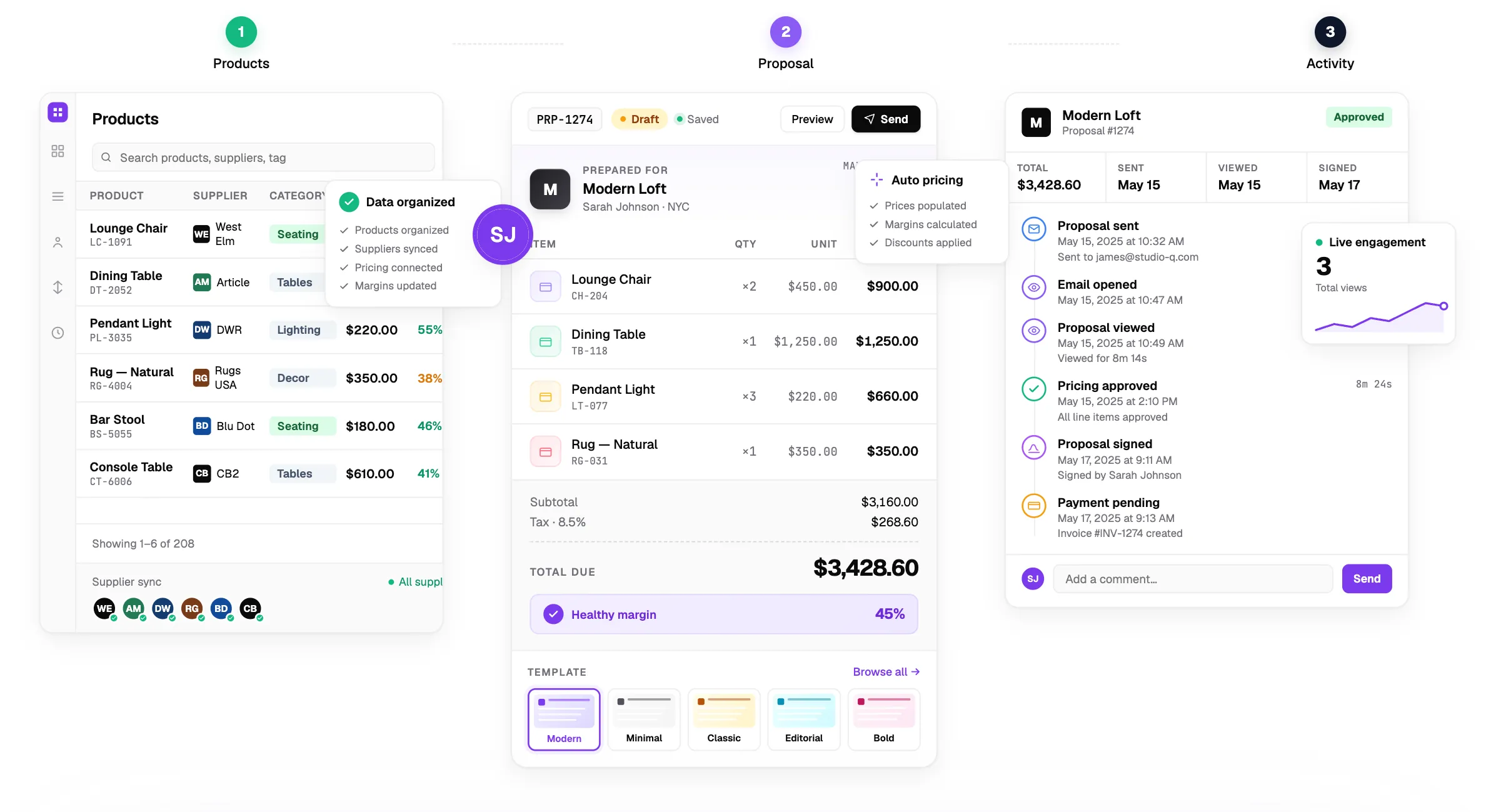
● ● ●Wantly · from products to decisions↗
Wantly CPQ and interactive proposal workflow overview
Illustrative Wantly workflow visual
✦Follow a complete proposal journey
THE PRODUCT TOUR5 connected steps · explore at your pace

Your sales process.
One connected journey.

Explore illustrative Wantly workflow visuals, from organizing product details to understanding what happens after a proposal is sent. Choose a step to see how the workflow can support your team.

EXPLORE A WORKFLOWSelect a stage ↓
STEP 01 · CATALOG●   PRODUCT VIEW
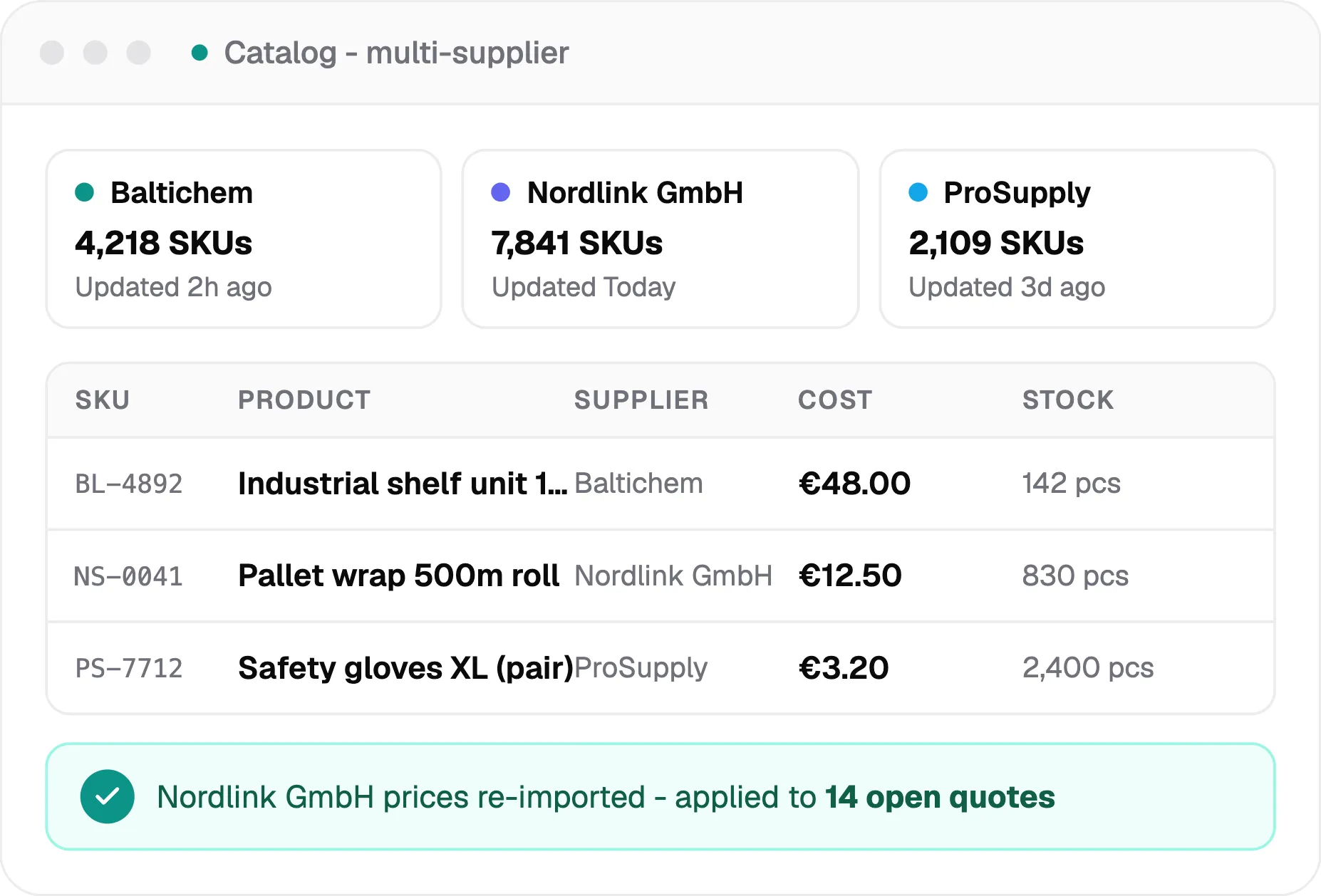
Wantly product catalog with multi-supplier product dataProduct visual from the Wantly website
01 / 05   ·   PRODUCT DATA

One place for the products your team sells.

Stop rebuilding the same product information for every quote. Keep supplier details, attributes and product content structured so your team can reuse them whenever an opportunity arrives.

✓Bring together information from different suppliers.
✓Reuse product data in your proposals.
✓Keep the quoting process organized as your catalog grows.
STEP 02 · PRICING●   CONFIGURATOR VIEW
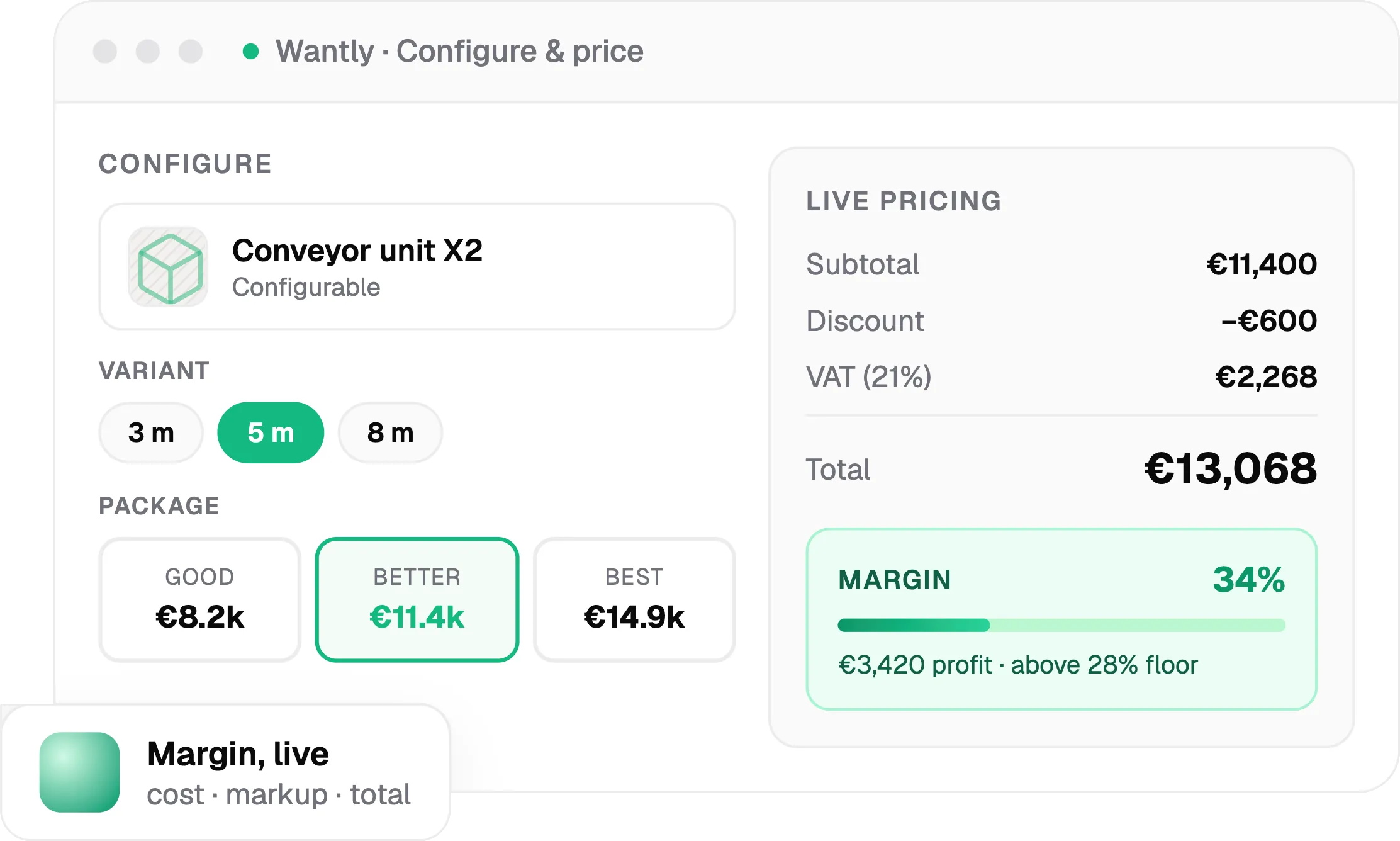
Wantly CPQ pricing configuration with totals and marginProduct visual from the Wantly website
02 / 05   ·   PRICING & CPQ

Turn complex pricing into repeatable logic.

Different product options, customer-specific pricing, discounts and margin rules make quoting more complicated than it should be. Wantly helps you structure that logic in the proposal workflow.

✓Account for quantities, variants and custom pricing rules.
✓Make totals and margins easier to review.
✓Keep prices consistent across your sales team.
STEP 03 · PROPOSALS●   EDITOR VIEW
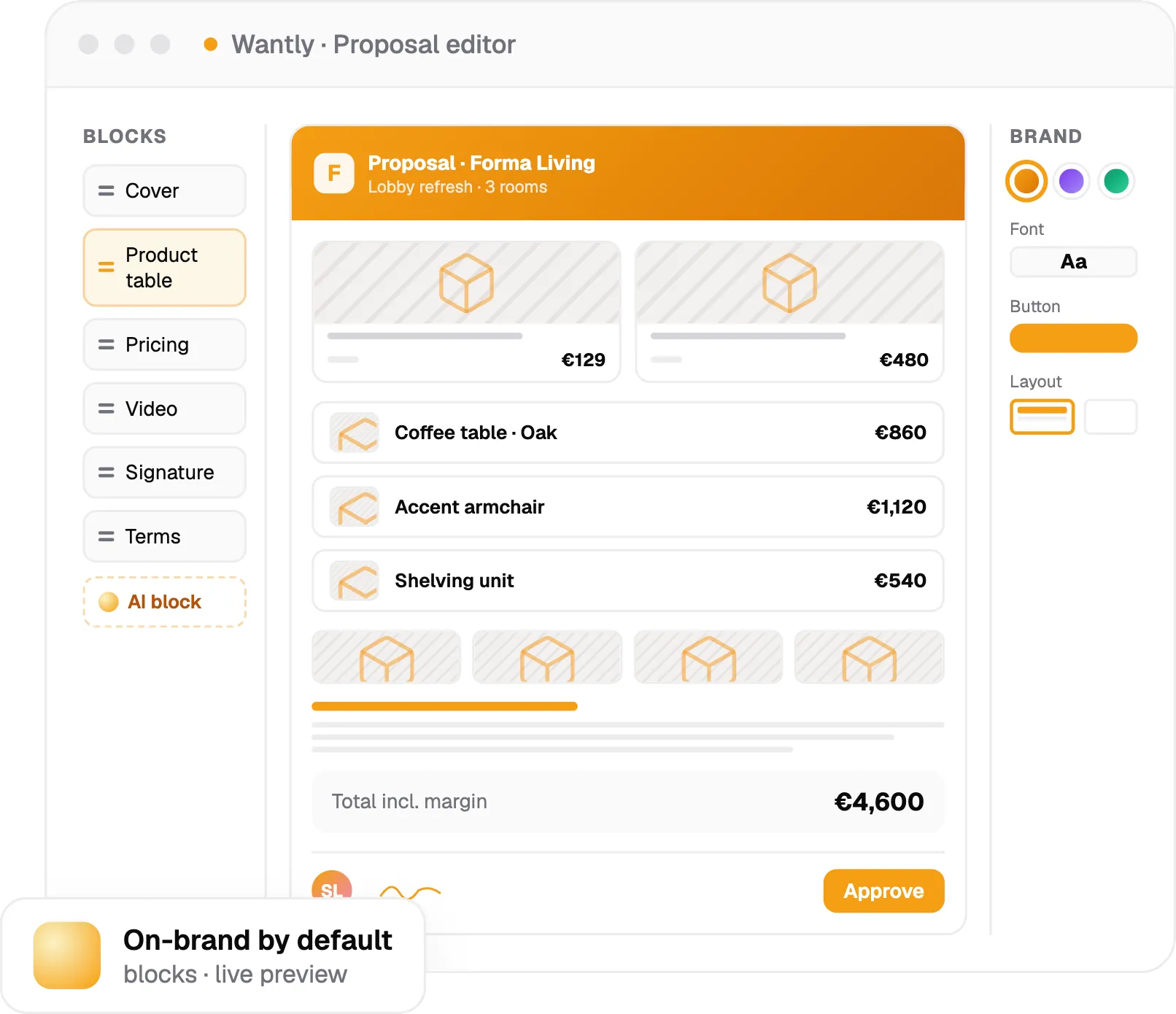
Wantly proposal editor with products, pricing and content blocksProduct visual from the Wantly website
03 / 05   ·   PROPOSAL EDITOR

Build an offer that explains your value.

Combine ready-to-use content, products and pricing into a branded proposal. Keep the information focused on what the customer needs to understand before making a decision.

✓Start with reusable structures instead of starting from zero.
✓Bring product information and commercial details together.
✓Deliver an online proposal with your brand.
STEP 04 · CLIENT●   INTERACTIVE VIEW
Interactive proposal client view in WantlyProduct visual from the Wantly website
04 / 05   ·   CLIENT EXPERIENCE

Give customers a clearer path to yes.

A proposal can be more than a PDF attachment. Depending on your setup, customers can review the offer, choose relevant options and move toward approval within an interactive experience.

✓Make product details and terms easier to explore.
✓Support customer selections and questions.
✓Connect the proposal to the next approval step.
STEP 05 · INSIGHTS●   ACTIVITY VIEW
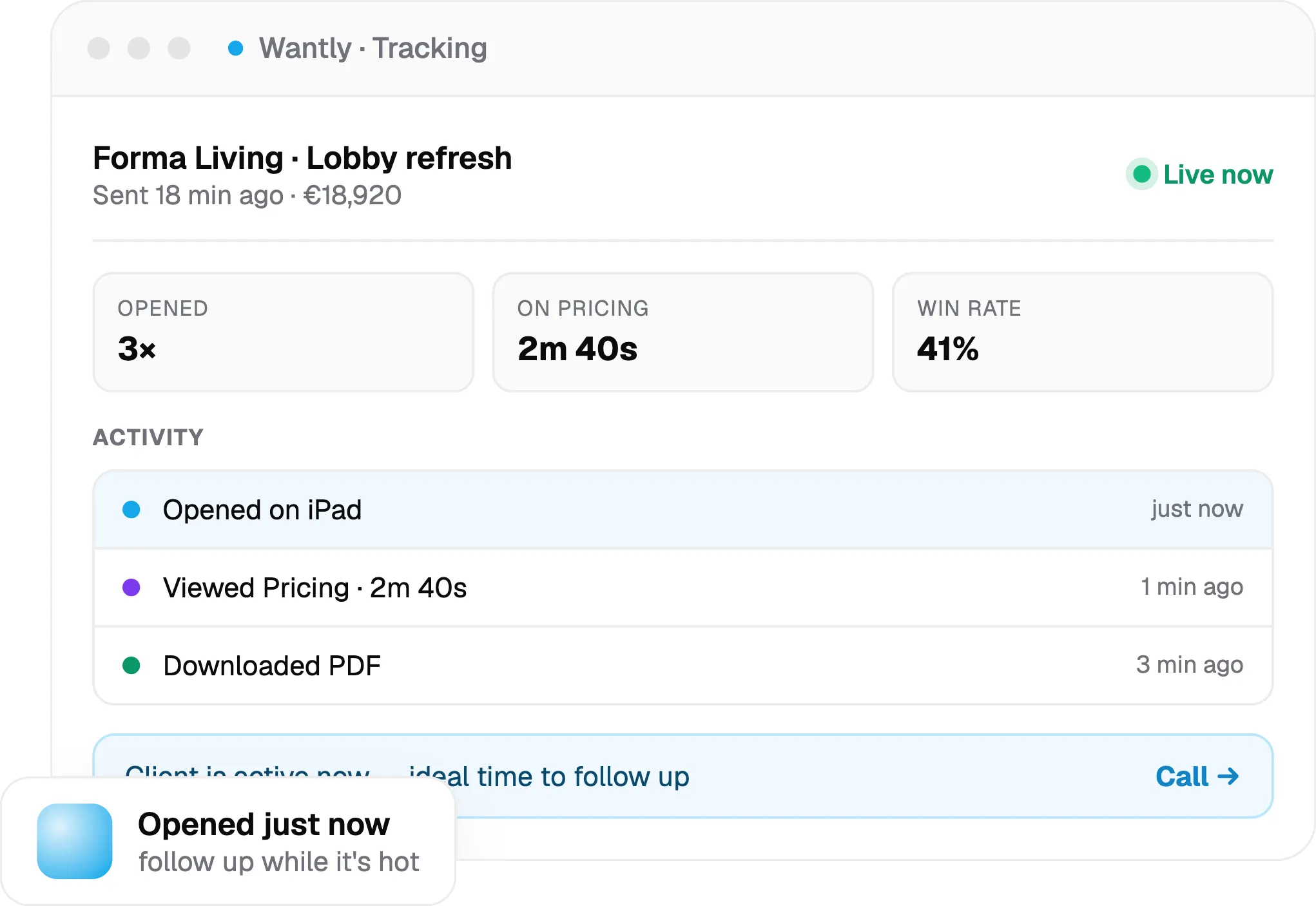
Wantly proposal analytics showing client engagement activityProduct visual from the Wantly website
05 / 05   ·   ANALYTICS

Know what happens after you send.

Stay closer to the customer's buying journey. Review available proposal activity and follow up with more context about how your offer is being considered.

✓See proposal opens and other available engagement signals.
✓Understand which parts of the offer get attention.
✓Use activity as context for your next conversation.
STEP 01 OF 05Wantly screens are illustrative product visuals. Capabilities depend on your configuration.
FROM PRODUCT DATA TO A POLISHED OFFER

Creating a proposal should feel this simple.

No more rebuilding the same information every time a customer asks for a quote. Wantly brings your templates, product catalog and pricing into one connected editor.

● ● ●Wantly · Proposal editorEDITING
Wantly proposal editor for branded commercial proposals
✓ Reuse your content instead of starting from scratch.
01

We prepare your proposal during implementation

During implementation, we prepare your proposal structure, adapt the visual design to your brand identity, and shape the content using methodologies informed by international research and publications on what buyers expect to see in a commercial proposal.

02

Add the right products and pricing

Select products from your catalog, configure the relevant options, and apply automated pricing and configuration rules so quantities, variants, discounts and other logic are handled consistently.

03

Review, personalize and share

Check the client-facing experience, make final edits and move the proposal into your customer's hands.

A SIMPLIFIED CPQ EXPERIENCE

More than a price calculator.
A configurable offer.

Explore how required products, optional additions, variants and quantity discounts can work together. Build a sample workplace package below and watch the quote adapt.

● SAMPLE WORKPLACE CONFIGURATORInteractive example · not a live Wantly account
01Build your package
W

Workplace starter kit

Base package · Select a finish, quantity and extras.

CONFIGURABLE
Core packageINCLUDED
✓Work deskRequired product · 1 per workstationFrom €320
✓Cable management kitIncluded with every desk · €0 extraIncluded
How many workstations?VOLUME PRICING

The example applies 5% discount to products and selected services at this quantity.

This interactive configurator illustrates CPQ concepts. The products, prices, calculations and discounts are fictional, and the example is not connected to a Wantly workspace. Actual pricing rules and available modules depend on each business's configuration.

FROM READY TO SENT

Click Send. Give your customer
a link to the offer.

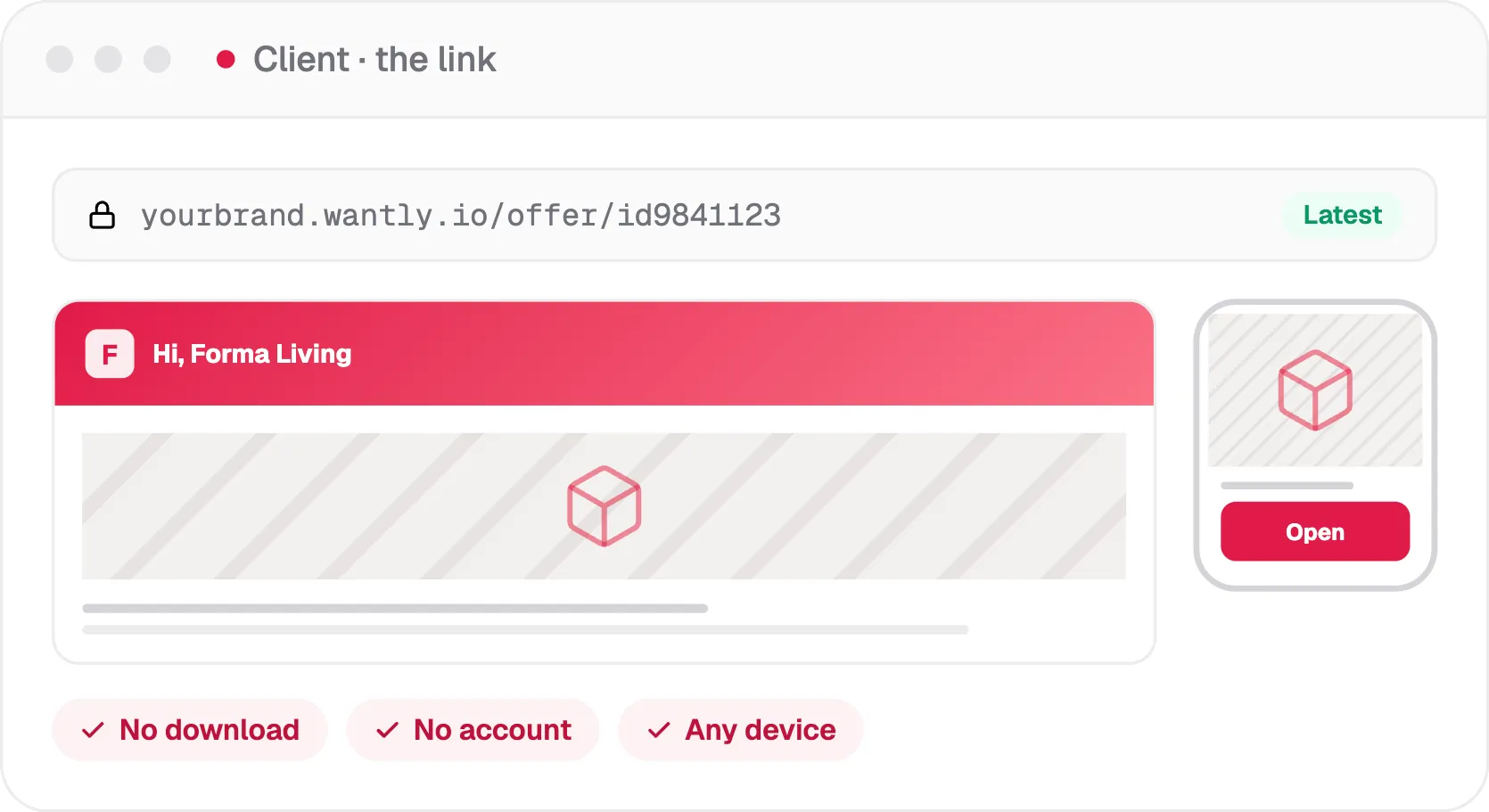
Share a personalized proposal link instead of making the customer hunt through email attachments. The recipient can open the offer, review its latest version and take the next step.

SIMULATE THE SEND STEPREADY TO SHARE
W
Workplace package · sample offerFor a prospective customer · illustrative example
READY
01Create and review your offer✓
02Press Send to prepare the link→
03Share it with the recipient→
Send proposal
✓Shareable preview link created

This demonstration creates a link to the example client view below. No real proposal or email is sent.

WHAT THE CLIENT RECEIVESA LINK, NOT AN ATTACHMENT
Client-facing Wantly proposal shared by link
✓Customers open the proposal on their own device.
✓Product details and the next step stay in one place.
✓Follow-up can happen in the proposal workflow.

This is an interactive explanation of the sending workflow. The example link navigates within this page, not to a customer-specific Wantly proposal.

WHAT HAPPENS AFTER YOU SEND

Your client can do more
than just read a PDF.

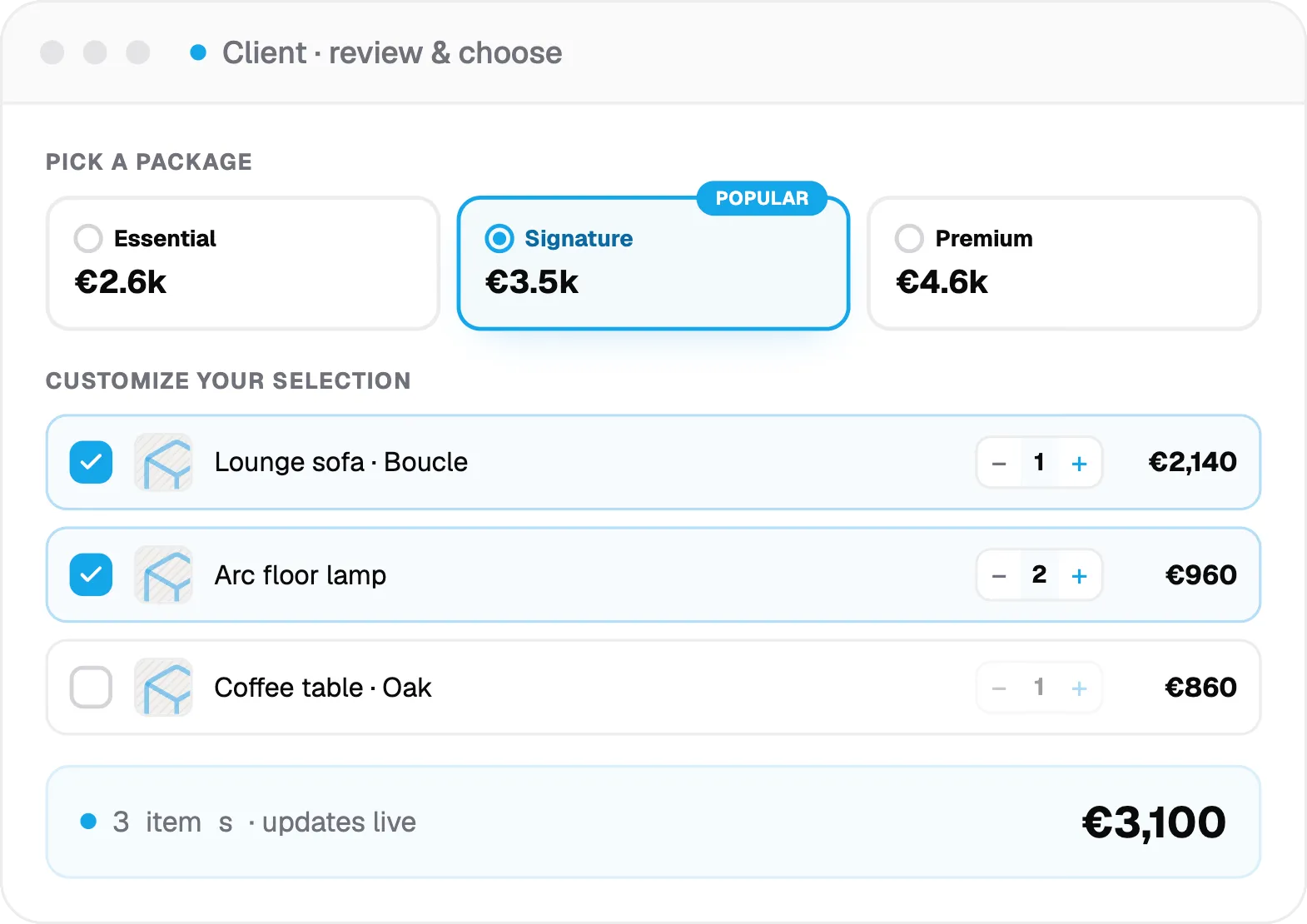
Give buyers a clear, interactive place to evaluate the proposal. In this illustrative customer view, they can review the package, decide which optional items to include and confirm their preferred selection.

● ● ●yourbrand.wantly.io / offer / sampleCLIENT VIEW
PROPOSAL PREVIEW

Workspace upgrade

Prepared for your customer

Reviewing
W
Workplace starter kit5 configured workstations · one connected offer
€2,435.00
CONFIGURE YOUR SELECTION
✓Ergonomic chairsOptional accessorySelected+Monitor armsOptional accessoryAdd+On-site assemblyOptional serviceAdd
Illustrative selected total€2,435.00
Approve sample selection
✓Example selection approved. You can see this sample event in the activity timeline below.
THE CUSTOMER'S EXPERIENCE01 / REVIEW & CHOOSE
Interactive proposal with product options and customer selections

Let the offer answer the next question.

Buyers can compare what is included, consider relevant extras and act on the version of the offer they are viewing. Depending on your setup, approval, signing and payment can continue within the proposal workflow.

✓Included and optional products are clearly distinguished.
✓Customer choices can change what the proposal contains.
✓Approval becomes a clearer next step.
Explore interactive proposals

The interactive client view on this page is a fictional sample illustrating selection and approval. It is not an actual recipient's Wantly proposal and does not save or transmit customer data.

AFTER THE PROPOSAL IS SHARED

Know what your customer
viewed, selected and approved.

Once the proposal is sent, the sales conversation doesn't have to disappear into an inbox. Wantly can surface engagement signals and customer actions so your follow-up has context.

PROPOSAL ACTIVITY●   SAMPLE ACTIVITY
WORKPLACE PACKAGE

An offer with context.

Reviewing
PROPOSAL STATUSViewedClient opened the offer
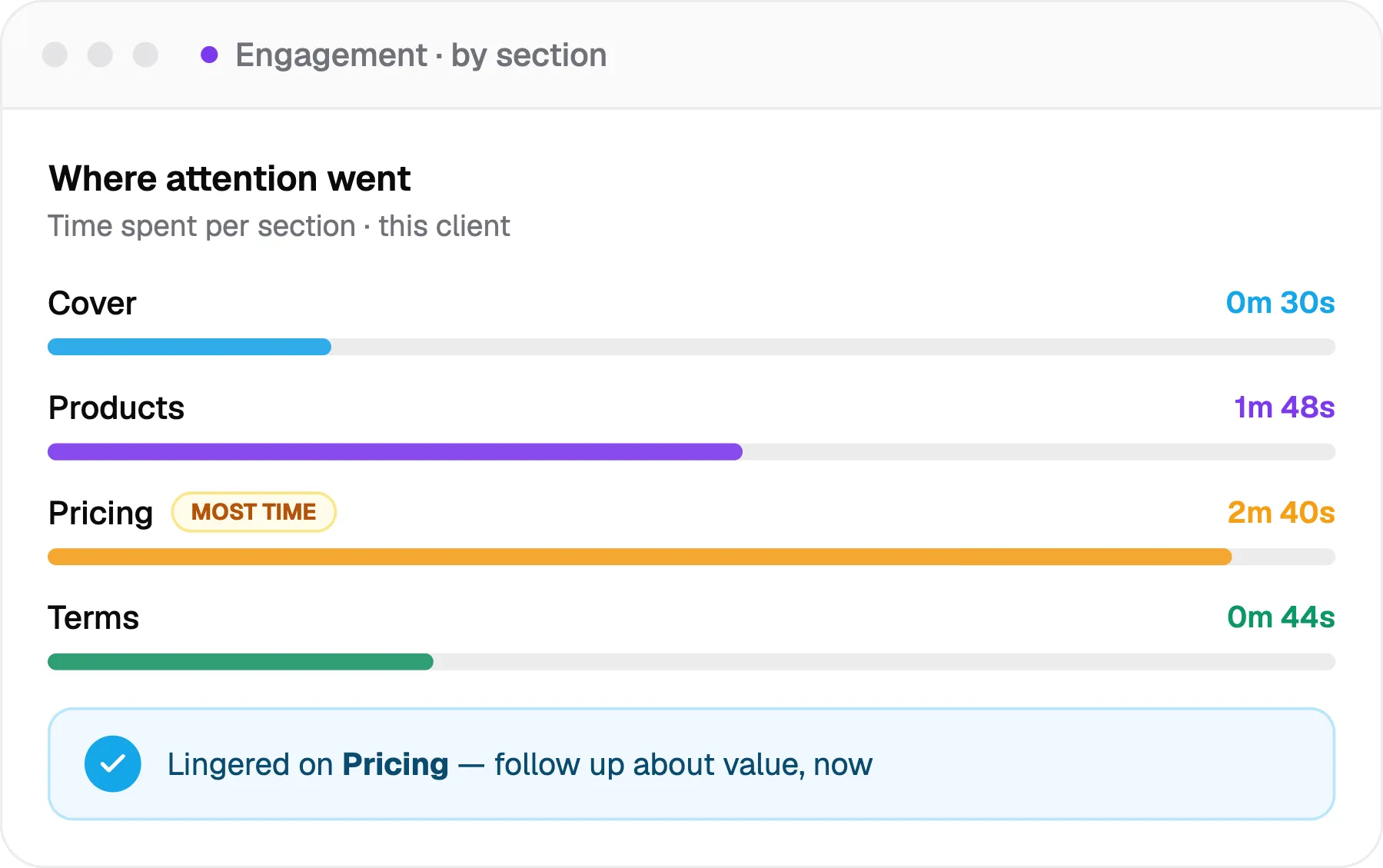
MOST VIEWED SECTIONPricingExample time: 2m 40s
CLIENT CHOICES1Optional item selected
Attention by sectionILLUSTRATIVE
Introduction
0:30
Products
1:48
Pricing
2:40
Terms
0:44
CUSTOMER ACTIVITY EVENT LOG
Client opened the proposalViewed the online offer
Pricing section viewedSpent time reviewing the proposed configuration
1 optional item selectedCustomer adjusted the sample offer
Sample selection approvedApproval received in this page's demo
WHAT THAT MEANS FOR SALES

Go beyond “just checking in.”

A buyer has spent time reviewing pricing, adjusted the optional products or confirmed a selection. That activity can give your team a more useful reason to follow up.

◉
Engagement

Understand which proposal sections are receiving attention and when activity happens.

▣
Customer decisions

See relevant buyer actions such as choices and approvals, depending on your setup.

↗
Next steps

Use the customer's actual interests to guide a timely, relevant conversation.

Proposal analytics showing engagement by proposal section
Explore tracking and analytics

The timeline, metrics and section-view durations shown above are fictional illustrations, not live data. The example approval event reflects the visitor's interaction with the sample offer on this page.

BUILT AROUND YOUR WORKFLOW

Which part of selling
takes the most time?

Different teams begin with different bottlenecks. Explore the capabilities that speak to the work you want to simplify.

READY TO SEE YOUR REAL WORKFLOW?

The next step is
your own proposal.

Tell us what you sell and how you price it. In a personal demonstration, we'll show where your catalog, pricing rules and proposals fit into Wantly.

A practical conversation about your process, not a generic slide deck.
BEFORE YOU GO

A few quick answers.

Can I explore Wantly without scheduling a call?

Is this interactive tour the actual Wantly application?

How do included and optional products work in a proposal?

What happens when I send a proposal?

Can I see which sections the client viewed or approved?

Can Wantly work with my existing systems and pricing process?